0 ratings




Item #:
38433668
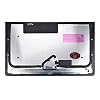
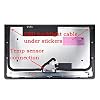
Replacement for iMac A1418 21.5" 2K LCD Screen Glass Display LM215WF3 SD D1 D2 D3 D4 D5 2012 2013 2014 with Adhesive Strips Tape Opening Tools Kit
Item #:
38433668
HTG 33739
Price Details
Excluding Shipping & Custom charges ( Shipping and custom charges will be calculated on checkout )
*All items will import from US
0 ratings
Write a review
In stock
 Imported from USA store
QTY:
Order now and get it around Friday, July 10
Secured transaction
Ubuy works hard to protect your security and privacy. Our advanced payment security system ensures confidentiality by encrypting your information during transmission using AES (Advanced Encryption Standards) and SSL (Secure Socket Layer) protocols. Your payment details are 100% secure as we do not share your payment details with third party sellers.
Our Top Logistics Partners


Fast
Shipping

Free
Return*

Secure Packaging

100% Original Products

PCI DSS Compliance

ISO 27001 Certified


What Stands Out
High-Quality LCD
This 2K LCD screen replacement delivers stunning visuals, ensuring crisp images and vibrant colors, enhancing your viewing experience beyond standard displays.
Complete Kit
Includes adhesive strips, tape, and opening tools, providing everything needed for an easy installation process, saving time and ensuring a professional finish.
Compatibility Assurance
Designed specifically for iMac model A1418 (2012-2014), guaranteeing a perfect fit and seamless integration, unlike generic alternatives that may compromise performance.
Product Details
- Importance: You must clearly confirm the current screen Resolution, Backlight, Screen Size, and Touch / Non-Touch. The wrong version will NOT run on your machine.
- Every item is rigorously tested and packaged prior to shipment to ensure reliable quality and safe delivery.
- If you have any questions after receiving the packaging, please contact us in time to solve.
| Package Dimensions | 25.2 x 17.6 x 2.8 inches (64 x 44.7 x 7.1 cm) |
| Item Weight | 7.48 pounds (3.39 kg) |
| Manufacturer | WARWOLFTEAM |
| Is Discontinued By Manufacturer | No |
| Date First Available | November 18, 2018 |
Who Should Buy?

-
DIY Enthusiasts
Perfect for individuals who enjoy repairing their own devices, providing necessary parts and tools for iMac screen replacement.
-
Cost-Conscious Users
Ideal for users looking to save costs on repairs by replacing the screen themselves rather than hiring a professional.
-
Older iMac Owners
Great for owners of older iMac models (2012-2014) who need to replace a cracked or damaged display.

-
Non-Technical Users
Not suitable for those with little or no technical skills as screen replacement can be complex and complicated.
-
Warranty Holders
Users with active warranties should avoid self-repair to prevent voiding warranty coverage on their devices.
-
New Model Owners
Incompatible with newer iMac models beyond 2014, making it useless for anyone who owns a more recent model.
Product Description
Have any Query? Chat with us
Customer Questions & Answers
-
Question:
What models are compatible with the iMac A1418 21.5 2K LCD Screen Glass Display?
Answer: This replacement screen is specifically designed for the iMac A1418 models from 2012 to 2014. This includes models with screen identifiers LM215WF3-D1, D2, D3, D4, and D5. Before purchasing, ensure your iMac matches these specifications to guarantee proper fit and functionality. If you're unsure, you can usually find the model identifier on the device's back or in the About This Mac section. -
Question:
Does this product come with installation tools?
Answer: Yes, the replacement LCD screen is packaged with a comprehensive tools kit that includes adhesive strips and opening tools necessary for installation. This is particularly beneficial for DIY enthusiasts, allowing for a more cost-effective repair without needing professional assistance. A proper installation is crucial as it ensures the screen not only fits well but also maintains optimal functionality post-repair. -
Question:
How do I install the replacement screen?
Answer: Installing the replacement screen requires a careful approach. Start by powering off your iMac and using the included opening tools to separate the glass from the LCD panel. Once the old screen is removed, clean the surface, apply the adhesive strips as needed, and secure the new LCD screen into place. Make sure to follow tutorial videos specific to your model for best results. Having patience during this process will help avoid accidental damage to sensitive components. -
Question:
What should I do if my iMac has display issues before replacing the screen?
Answer: If your iMac exhibits display issues such as flickering, discoloration, or black screen symptoms, it's essential to troubleshoot before replacing the screen. Start by checking connections and display settings. If hardware diagnostics do not indicate problems, a screen replacement may be necessary. These issues can stem from a faulty screen; hence confirming the current state before replacement is crucial to ensure you are addressing the right issue. -
Question:
Is the screen fragile during installation?
Answer: Yes, the LCD screen is fragile and must be handled with care during installation. Use the provided opening tools gently to avoid breaking the glass. Additionally, work in a clutter-free environment, and avoid applying excessive pressure when placing the screen in position. If you are unfamiliar with handling sensitive electronics, researching instructional videos or guides can provide helpful tips and techniques to avoid damage. -
Question:
Will replacing the screen affect the display's resolution?
Answer: No, replacing your iMac's screen with the replacement model will not affect the display's resolution. The new LCD screen is designed to match the original specifications, ensuring that you retain the same clarity and quality of display. This is vital as it ensures continuity in viewing experiences, particularly if you use the iMac for tasks that require high visual fidelity such as graphic design or video editing. -
Question:
Can the adhesive strips be reused?
Answer: No, the adhesive strips provided are meant for single use only. Once the adhesive is applied and the screen is mounted, it cannot be reapplied effectively. For best adherence and to ensure a proper seal, it's essential to use fresh adhesive strips when installing the new screen. This ensures that the screen remains securely in place, avoiding potential problems like dust infiltration or screen dislodgment over time. -
Question:
How can I maintain my new iMac screen after installation?
Answer: To maintain your newly installed iMac screen, keep it clean by using a microfiber cloth and screen-safe cleaning solution. Avoid using abrasive materials that could scratch the surface. Additionally, be mindful of environmental factors like humidity and direct sunlight to prevent potential damage. Regular maintenance not only prolongs the screen's lifespan but also keeps your display looking crisp and clear for everyday use. -
Question:
What if I need help with the installation process?
Answer: If you encounter challenges during the installation process, consider reaching out to online forums and communities or viewing instructional videos on platforms like YouTube. Many users share their experiences and offer troubleshooting tips that could assist you. Additionally, consulting with a tech-savvy friend or professional can provide firsthand insight, enhancing your confidence in the installation process. -
Question:
Where can I buy the replacement LCD screen for my iMac A1418?
Answer: You can easily buy the Replacement for iMac A1418 21.5 2K LCD Screen Glass Display at Ubuy in Haiti. Ubuy offers a user-friendly platform with a wide selection of electronics and parts, ensuring that you can find the exact replacement you need. They also provide detailed product descriptions to guide your purchasing decision and ensure compatibility with your iMac model.
WARWOLFTEAM Replacement Screens Editorial Review
No editorial reviews found
Customer Reviews & Ratings
1 customers ratings
-
5 Star
0%
-
4 Star
100%
-
3 Star
0%
-
2 Star
0%
-
1 Star
0%
Review this product
Share your thoughts with other customers
Pros
- High-quality LCD screen replacement
- Easy DIY installation with tools
- Includes adhesive strips for secure fit
- Great resolution and color accuracy
- Compatible with multiple iMac models
Related Categories
Related Brands
Product Price History
Important information
- Limitations : For products shipped internationally, please note that any manufacturer warranty may not be valid; manufacturer service options may not be available; product manuals, instructions, and safety warnings may not be in destination country languages; the products (and accompanying materials) may not be designed in accordance with destination country standards, specifications, and labeling requirements; and the products may not conform to destination country voltage and other electrical standards (requiring use of an adapter or converter if appropriate). The recipient is responsible for assuring that the product can be lawfully imported to the destination country. When ordering from Ubuy or its affiliates, the recipient is the importer of record and must comply with all laws and regulations of the destination country.
- Not all the products listed on Ubuy are for sale, as Ubuy is a global search engine. Products are subject to export/trade regulations.
HTG 33739
Order now and get it around Friday, July 10
This item is not restrict in my country.(Please click on above link if this item is not restrict in your country, So our team will review and allow.)
QTY:
Secured transaction
Ubuy works hard to protect your security and privacy. Our advanced payment security system ensures confidentiality by encrypting your information during transmission using AES (Advanced Encryption Standards) and SSL (Secure Socket Layer) protocols. Your payment details are 100% secure as we do not share your payment details with third party sellers.
Our Top Logistics Partners
Fastest cross-border delivery